WhatsApp reminders
Medicine reminders on WhatsApp.
Nothing new to install.
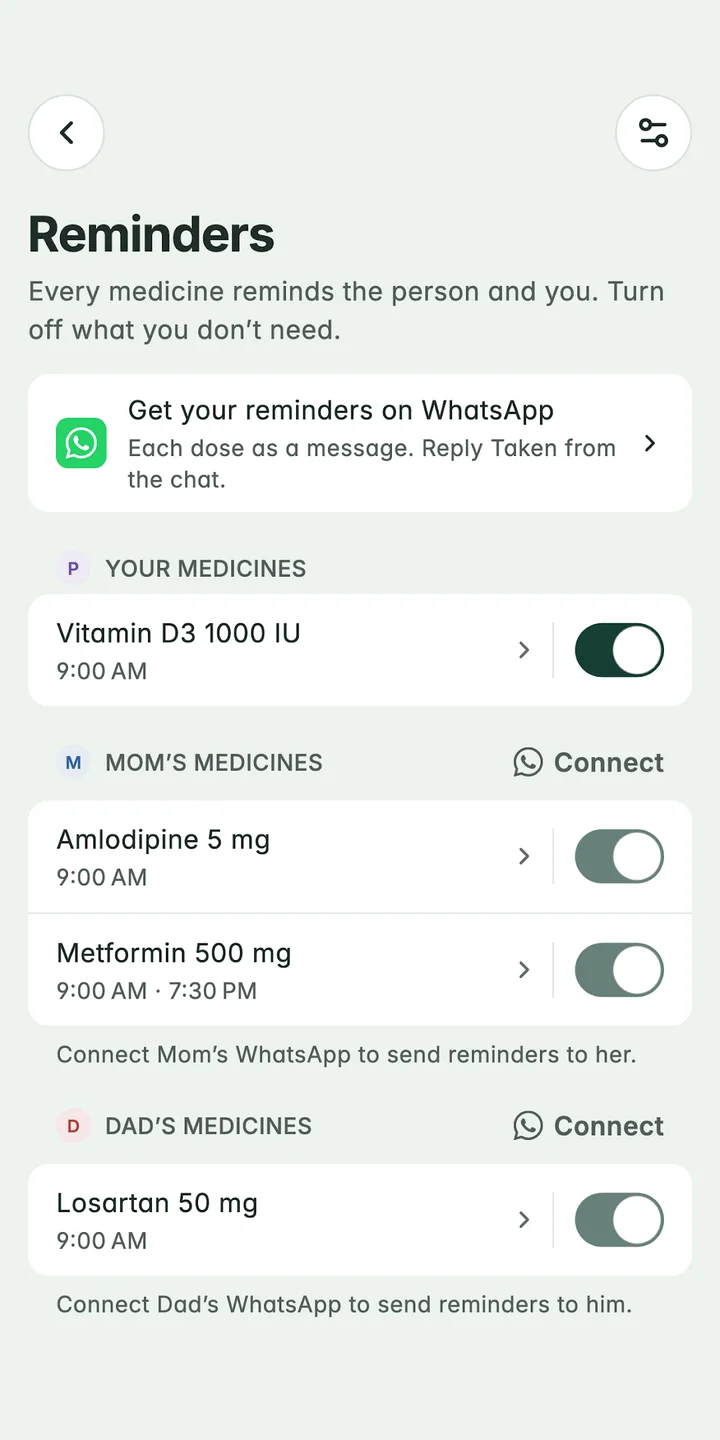
AlongWell can send a family member each dose as a WhatsApp message. They tap Taken, Skip today or In 30 min, and the reply shows in your app as if you had marked it yourself. They don’t need the AlongWell app, only WhatsApp, and nothing is sent until they reply YES to an invite.


Metformin 500 mg · after breakfast. One tablet
How to set it up
Three steps.
Add their medicine
Once a family member has a medicine, AlongWell asks once whether to remind them on WhatsApp. You can also start from their profile.
Send the invite
Enter their WhatsApp number with its country code. They get one message from AlongWell asking them to reply YES.
They reply, you see it
Each dose arrives as its own message at its time. Their reply marks the dose in your app, and Supplies counts it too.
What does your parent receive?
First, one invite: “Hello from AlongWell. Priya asked us to send your medicine reminders to this number on WhatsApp. Reply YES to confirm.” Until they reply YES, their reminders go only to you.
After that, each dose is a message of its own, such as “A little reminder for Mum” over “Metformin 500 mg · after breakfast. One tablet”, with three buttons. Taken answers “Marked as taken.” Skip today keeps it in the record as skipped, not missed. In 30 min sends the reminder again half an hour later.
What if they don’t reply?
When a dose they were reminded about isn’t marked in time, you get a “Still waiting” notification. If your own WhatsApp is connected, a message comes there too, and from it you can call them, mark the dose taken for them, or send one more reminder.
Can I get my own reminders on WhatsApp?
Yes. Connect WhatsApp for yourself and your own reminders come there as well as on your phone, while the evening summary of the family’s day comes there in place of a notification. It uses the number you sign in with.
Good to know
Messages come from AlongWell’s own WhatsApp Business number, and any number with its country code can be invited. Replying “stop” turns the messages off for that number, and you can disconnect it from the app at any time. WhatsApp doesn’t tell AlongWell whether a message was read, so the app shows a dose as marked only once someone replies.
Questions
Can I send medicine reminders to my parents on WhatsApp?
Yes. Add your parent and their medicines in AlongWell, then connect their WhatsApp number. After they reply YES to the invite, each dose arrives as a WhatsApp message they can answer with Taken, Skip today or In 30 min.
Does my parent need to install AlongWell?
No. They only need WhatsApp. You keep their medicines in AlongWell on your phone, and their replies show there.
How do I get medicine reminders on WhatsApp?
Add the medicine in AlongWell, then turn on WhatsApp for the person it’s for. AlongWell sends one invite; once they reply YES, each dose arrives as a WhatsApp message at its time.
What happens if my mother doesn’t reply to a reminder?
If the dose isn’t marked in time, you get a notification. If your own WhatsApp is connected you also get a message, and from it you can call her, mark the dose taken for her, or send one more reminder.
How do I stop the WhatsApp reminders?
The person can reply “stop” to any AlongWell message, or you can disconnect their number in the app. Their reminders then come to you as notifications.
Let’s take care, together
A little less to carry.
Be here from the start.
AlongWell is free on the App Store and Google Play.