Home readings
Blood pressure and sugar readings,
kept for your doctor.
AlongWell keeps a log of home readings for each family member: blood pressure, blood sugar, pulse, oxygen, weight and temperature. Type the value, set when it was taken and add a note if you like. Readings stay in order by person and date, ready to show the doctor, and AlongWell never interprets them.


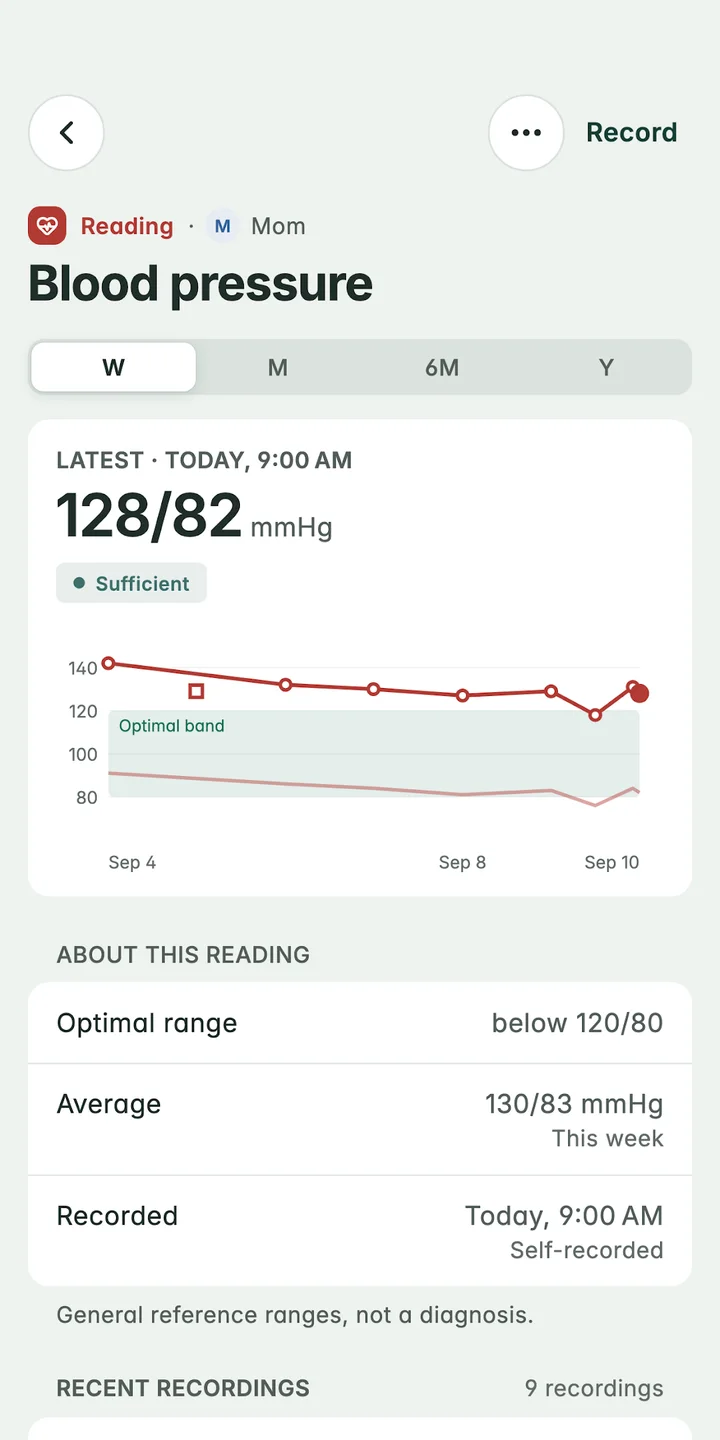
128/82 mmHg, today at 9:00 am, at home
How to set it up
Three steps.
Tap Record
Choose what you measured: blood pressure, blood sugar, pulse, oxygen, weight or temperature.
Type the value
Add the pulse with a blood pressure, or say whether a blood sugar was fasting, after a meal or random.
Say when
Set the time it was taken, now or earlier, and add a note if something’s worth remembering.
Which readings can you keep?
Six kinds, each in the units your family uses:
- Blood pressure in mmHg, with the pulse if you have it
- Blood sugar in mg/dL or mmol/L, marked fasting, after a meal or random
- Pulse in beats per minute
- Oxygen as a percentage
- Weight in kg or lb
- Temperature in °C or °F, with where it was taken
Each reading over time
Each kind of reading has its own page per person, with a chart for the week, month, six months or year, the average over that time, and every recording listed by day. A reading can be marked as taken at home or at the clinic, and fixed later if a number was typed wrong.
What AlongWell doesn’t do with readings
AlongWell keeps readings for you and your doctor. It doesn’t tell you what a number means, send alerts about readings, or suggest anything to do. Readings for an adult show a status word against general reference ranges, and the app says plainly that these are not a diagnosis. Talk to your doctor about your readings.
Good to know
AlongWell doesn’t connect to a blood pressure monitor or glucometer: you type the number from the screen. Unit choices belong to the family, so everyone’s phone shows the same units.
Questions
Is there an app to log my parents’ blood pressure?
Yes. In AlongWell, add each parent as a family member, then record their blood pressure (and pulse) with the date, time and a note. Each parent’s readings stay on their own profile, with a chart over time.
Can I record blood sugar in mmol/L?
Yes. AlongWell records blood sugar in mg/dL or mmol/L, and each reading can be marked fasting, after a meal or random.
Does AlongWell connect to my BP machine or glucometer?
No. You type the reading from the device’s screen. It takes a few seconds.
Does AlongWell interpret my readings?
No. AlongWell keeps readings for you and your doctor. It shows a status word against general reference ranges for adults, says these are not a diagnosis, and never says what to do. Talk to your doctor about what a reading means.
Let’s take care, together
A little less to carry.
Be here from the start.
AlongWell is free on the App Store and Google Play.